AI chat & company knowledge
Work from a shared conversation space for document questions, content ideas and tasks involving connected tools.
A BERRINEX PRODUCT / AI & SOCIAL CONTENT
An AI workspace for creating, reviewing, scheduling and publishing social content, with company knowledge and connected tools close at hand.
Work through the idea in chat. Shape the draft with your team. Bring it into a content plan you can see and review.
EXPLORE THE PRODUCT
Actual GoSocio screenshots,
from the conversation to the calendar.
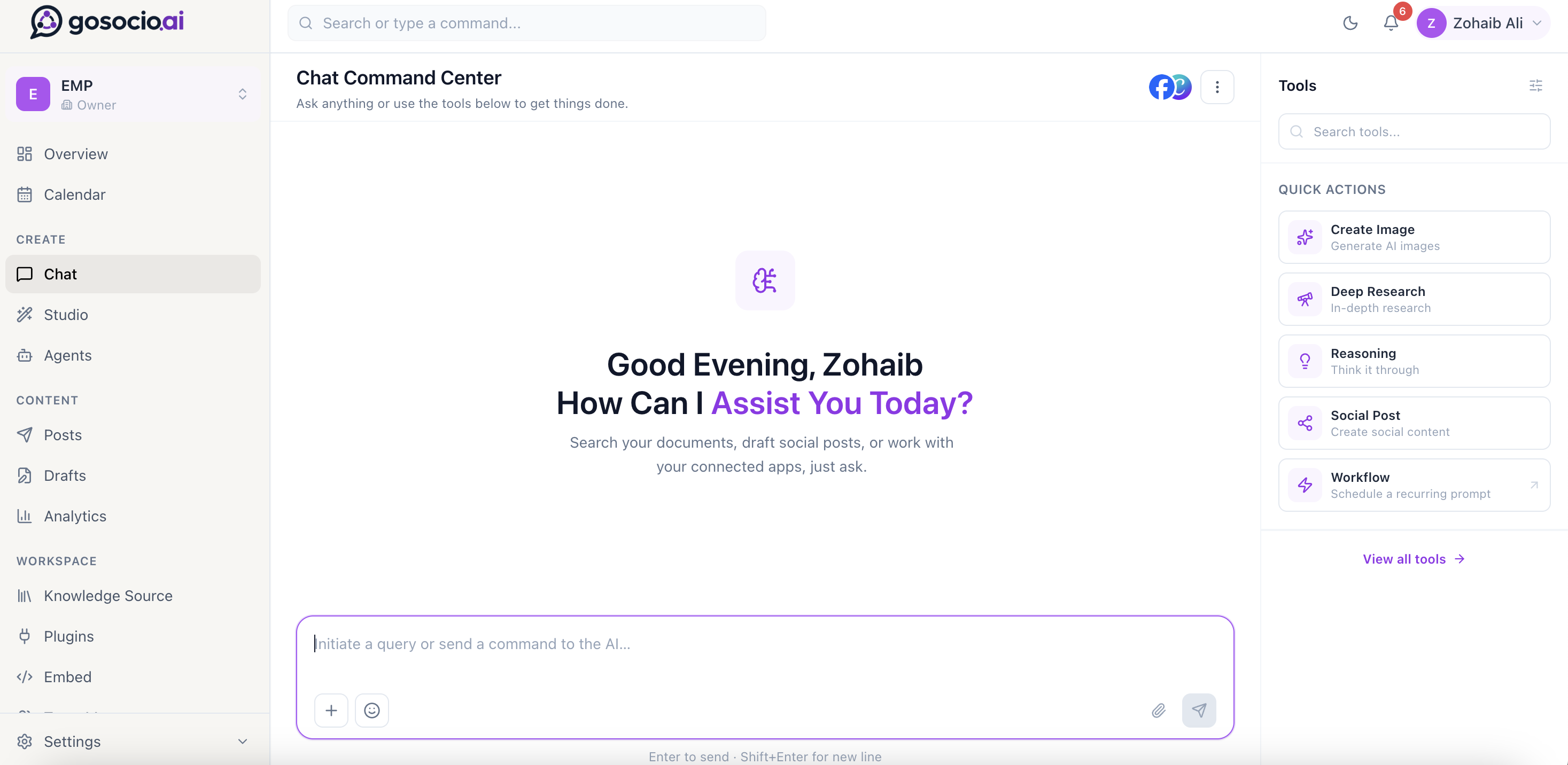
Bring a question, a content idea or a task into the chat workspace, with tools for social posts, research, visuals and recurring workflows.
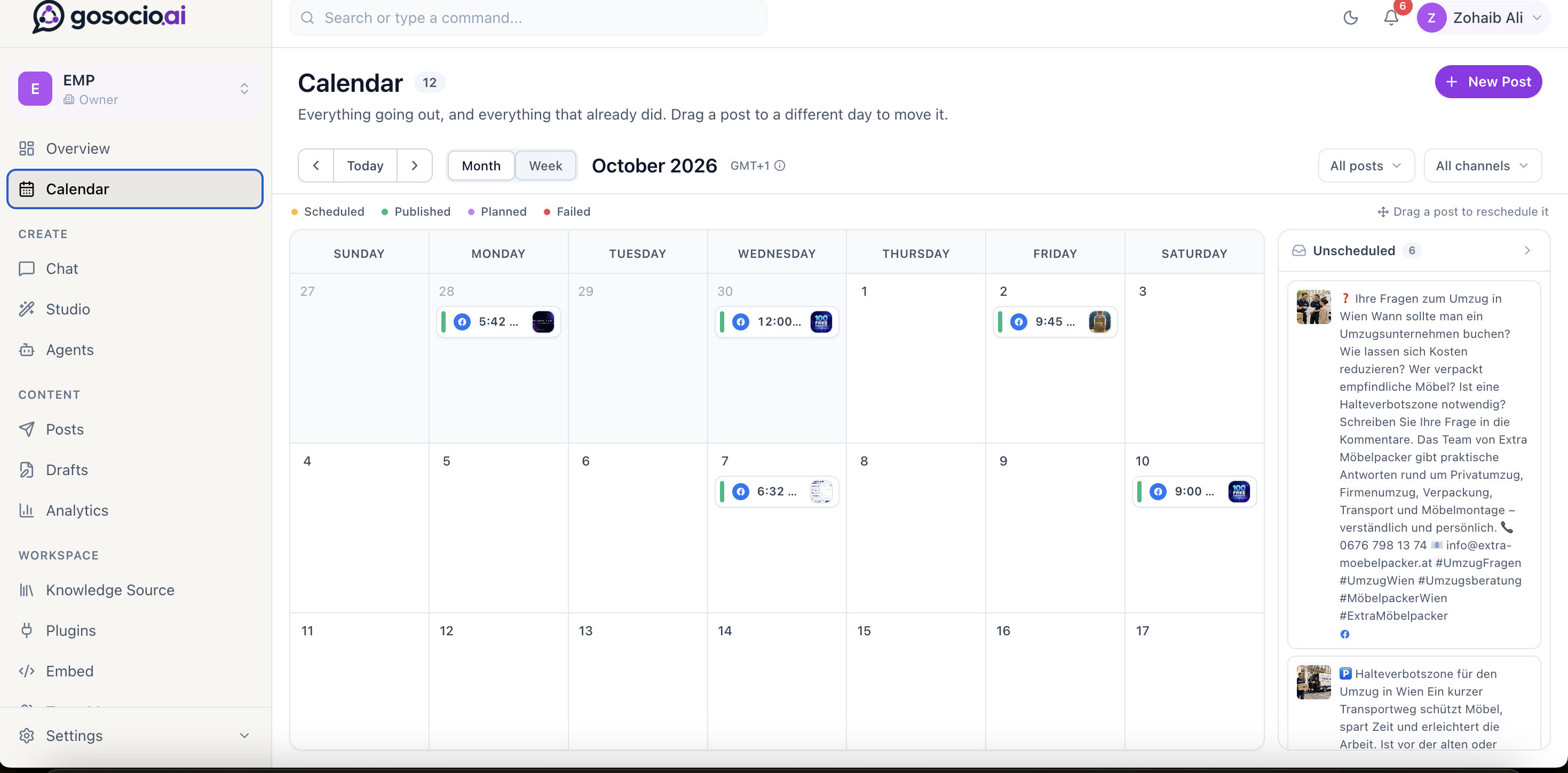
Review a month or week of activity, inspect scheduled and published posts, and keep unscheduled ideas close to the plan.
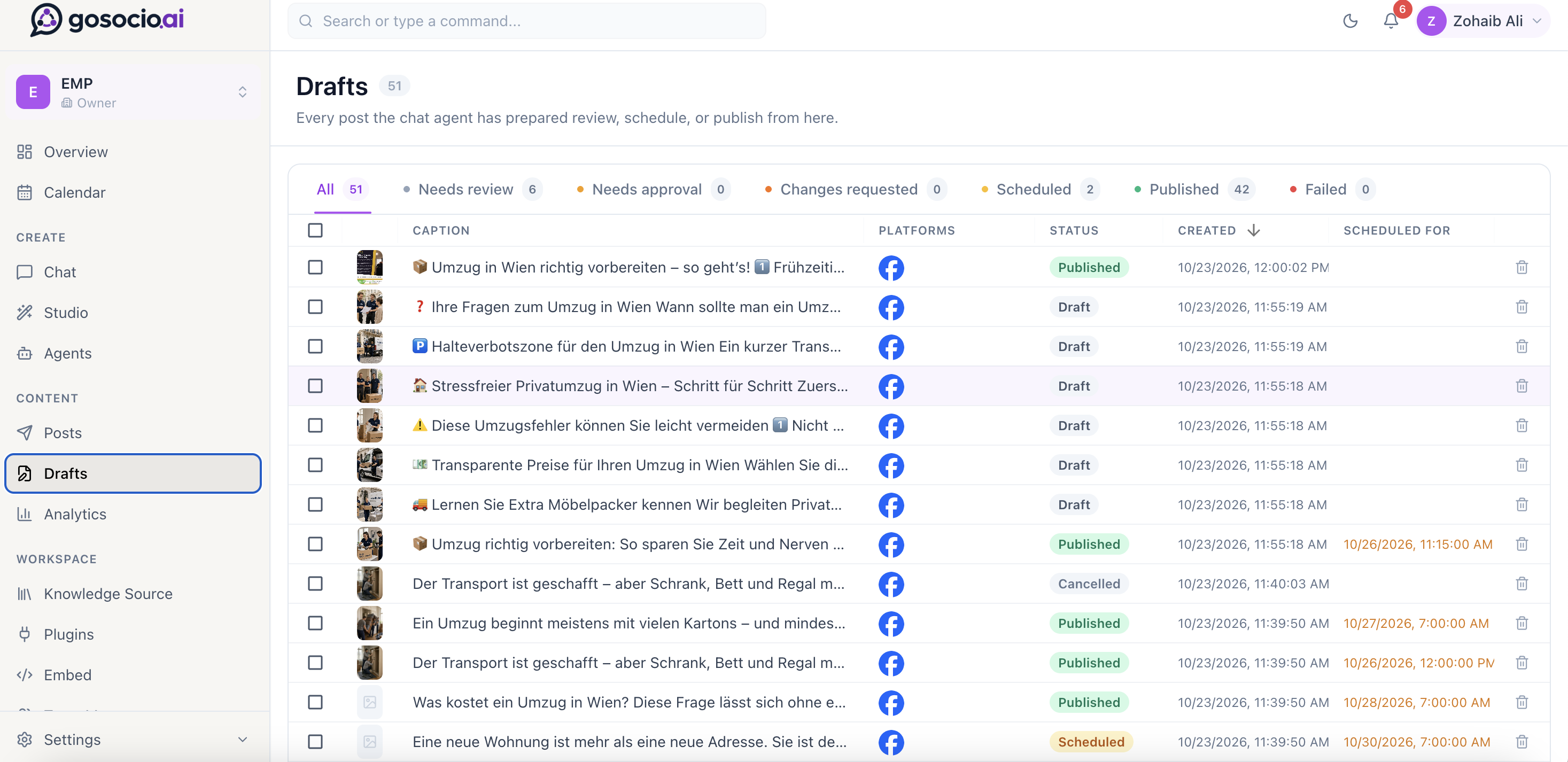
Look through captions, channels and publishing states in one draft list, with separate views for review, approval, scheduled and published content.
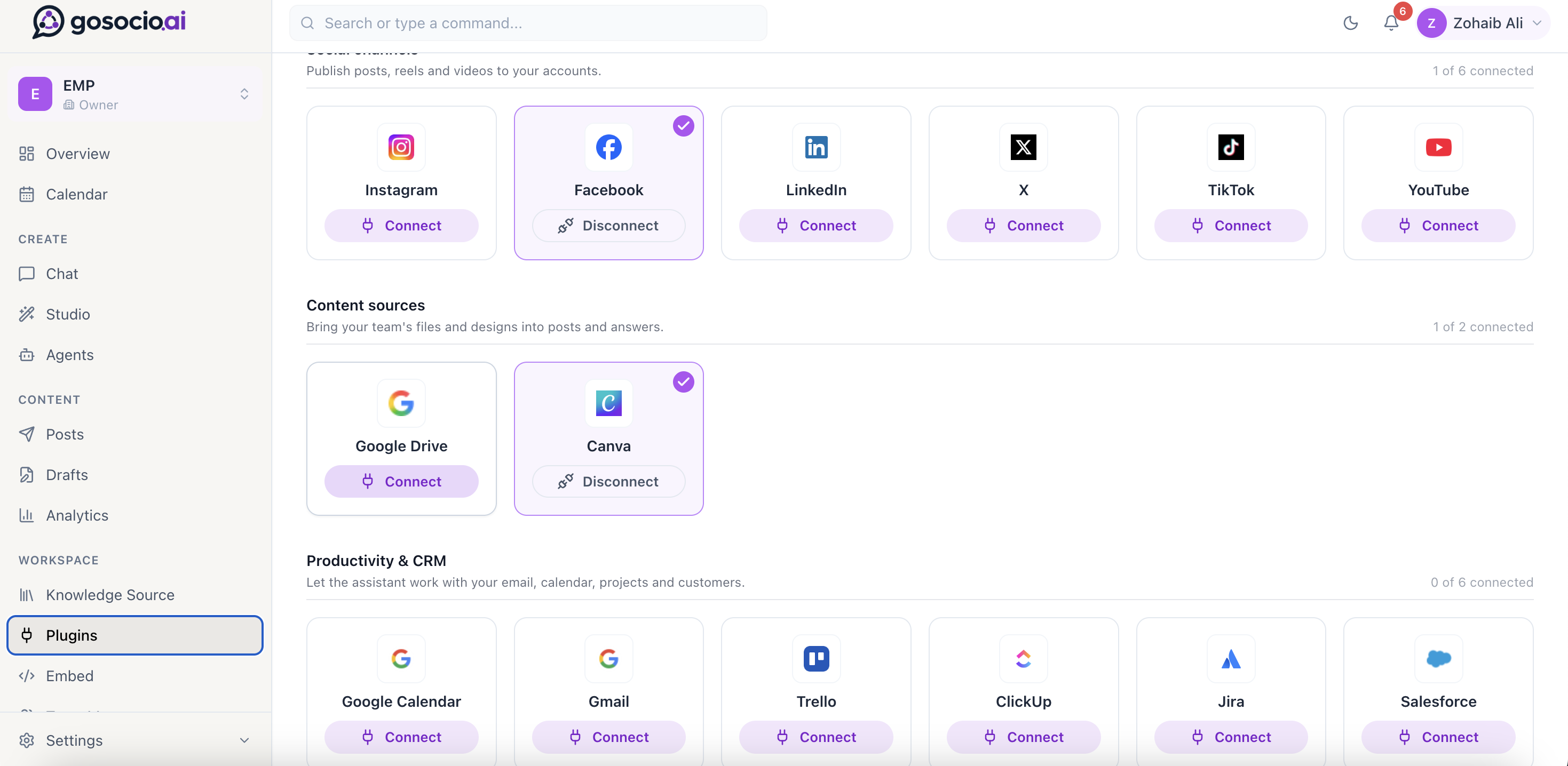
Explore social channels, content sources and productivity integrations from the workspace connection settings.
FROM AN IDEA TO A PUBLISHED POST
Bring creation, review and publishing
closer to the information behind your brand.
Work from a shared conversation space for document questions, content ideas and tasks involving connected tools.
Define an agent’s focus, brand voice and posting rhythm around the information and goals relevant to the workspace.
Generate campaign visuals and short videos in Studio, then refine, organize and reuse assets in the content workflow.
Inspect copy, visuals and posting details in the review process, with clear draft and approval states.
Plan content across a visual calendar and prepare publication through your connected social channels.
Bring content sources, productivity tools and social accounts into the same working context.
A PRACTICAL CONTENT RHYTHM
Define the context, build a draft and choose how it moves through your team’s review and publishing process.
Bring the relevant company information and connected sources into the workspace.
Develop copy and visual ideas in chat or Studio, then adjust them for the post.
Use draft states and the calendar to inspect content and decide what happens next.
Publish through connected channels and return to the content workspace to inspect activity.
CONNECTION OPTIONS IN THE PRODUCT
Choose the social channels, content sources and business tools relevant to your workspace. The options below are shown in the supplied product view.
Current availability, account permissions and plan options are detailed on GoSocio’s website.
BUILT FOR THE PEOPLE BEHIND THE CONTENT
Bring company knowledge, content ideas and publishing activity into a more connected workflow.
Keep drafts, creatives and the calendar close to the people reviewing the work.
Organize client workspaces and brand-specific content processes as part of your publishing workflow.
A FEW GOOD QUESTIONS
GoSocio is an AI-assisted content workspace for businesses and agencies. It brings chat, creative tools, agents, draft review, a publishing calendar and app connections into the content workflow.
Yes. The four views on this page are product screenshots supplied by Berrinex. Choose chat, publishing calendar, drafts or connected apps, then open the full-size image for a closer look.
GoSocio Studio supports image and short-video generation, with a media library and editing tools for preparing creative assets for posts. Visit the Studio page on gosocio.ai for current options.
GoSocio provides draft and review states alongside publishing tools. Use the approval and workflow settings appropriate to your team, and check the configuration before enabling automated publishing.
The supplied integration view lists six social channels, Google Drive and Canva content sources, and productivity and CRM options. Check GoSocio for the current availability and permissions of each connection.
Visit gosocio.ai for current plans, feature availability and sign-up options, or contact Berrinex with questions about your workflow.
MEET GOSOCIO